Let's play!
Yo Gabba Gabba Scene Creator

Yo Gabba Gabba Scene Creator

Nick Jr Creative Play Yo Gabba Gabba
Developer: Flame Rift Labs
Published: 2025-12-16
Updated: 2026-06-12

What players say

Yo Gabba Gabba Lets Make a Scene offers a gentle, open-ended play experience. Children can freely combine characters and items across four backgrounds, with everything animating on placement. The lack of rules or timers encourages experimentation and reduces frustration. It is a reliable choice for quiet time or creative exploration, with high replay value as kids invent new scenes each session.

About this game

Game Introduction

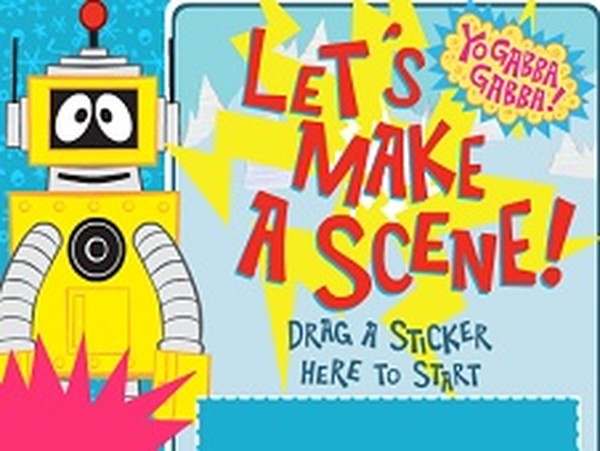
Yo Gabba Gabba Lets Make a Scene is a creative scene-building game designed for young children. Inspired by the popular Nick Jr. show, this game invites kids to build their own animated worlds using beloved characters and fun items. Players can choose from four different backgrounds and then drag characters and objects into the scene to bring it to life. The game encourages imagination and creativity as children experiment with different combinations to create unique, moving scenes. It provides a safe, family-friendly environment where kids can play freely without rules or time limits.

How to Play

To play, start by selecting a background from the options provided at the bottom of the screen. Choices include winter mountains, fall forest, spring field, or a desert landscape. Then, look at the panel on the right side of the screen. This panel contains menus for each character—Red, Pink, Green, and Yellow—as well as extra items like the sun, clouds, carrots, boomboxes, cacti, birds, and flowers. Simply drag any character or item from the panel onto the background. Once placed, characters will begin to move and animate, making the scene lively. There are no rules or scores, so children can freely experiment and create as many scenes as they like.

Game Features

This game boosts imagination and creativity through scene creation and decoration. It offers four unique backgrounds to provide variety. Characters and items animate when placed, making scenes dynamic and engaging. Simple drag-and-drop controls are easy for young children to use. The game has no timers or scores, allowing for stress-free, open-ended play. It is based on the popular Yo Gabba Gabba franchise, making it familiar and appealing to fans of the show.

Tips for Success

Encourage children to try all four backgrounds to see how different settings change the look of the scene. Experiment with placing characters in different positions to see how they move and interact with items. Let kids take the lead—there is no wrong way to create a scene. Use the game as a conversation starter by asking questions about what is happening in the scene. This can help develop storytelling skills. Most importantly, allow plenty of time for free play, as the game is designed to be a relaxing and creative experience.
Compatibility

💻 Desktop | 📱 Mobile | 📟 Tablet
– All supported · Best with Chrome or Safari
FAQ
Is Yo Gabba Gabba Lets Make a Scene free to play?
The game is typically available for free on websites that host Flash or HTML5 games for kids. Since it is a browser-based game, no purchase is usually required to access it. However, some sites may require registration or have ads. Always check the specific hosting site for details.
What devices can I play this game on?
This game was originally designed for Flash, so it may be playable on desktop computers with Flash enabled. Some versions may be converted to HTML5 for tablets and smartphones. Check the game's hosting site for compatibility information. Most modern browsers no longer support Flash, so an HTML5 version may be needed.
Do I need to download anything to play?
No download is typically required. The game is usually played directly in a web browser. However, if the game uses Flash, you may need to enable Flash Player in your browser settings. Always ensure you are using a trusted website to avoid any security risks.
Can I save my scenes and come back later?
Most browser-based scene creator games do not have a save feature. Scenes are usually created and enjoyed in a single session. If you want to keep a scene, you could take a screenshot of the screen. Check the game's interface for any save options, but typically they are not included.
Is this game safe for my child to play alone?
Yes, the game is designed for young children and provides a safe, ad-free environment on trusted hosting sites. It contains no inappropriate content, no chat features, and no external links. However, always supervise young children while they are online to ensure a positive experience.
Are there any other Yo Gabba Gabba games available?
Yes, there are several other Yo Gabba Gabba games online, including coloring pages, puzzles, and music-based activities. These games are often found on the Nick Jr. website or other kid-friendly game portals. They share the same colorful characters and focus on creativity and fun.
Advertisement

More Like This

Yo Gabba Gabba Scene Creator

Yo Gabba Gabba Scene Creator

Simple drag-and-drop fun that sparks creativity. Perfect for young children who love Yo Gabba Gabba.

Princess Cake Baking Game for Kids

Princess Cake Baking Game for Kids

Simple baking steps and fun decorating. Great for young children who love princess themes.

Panda Coffee Shop Cooking Game

Panda Coffee Shop Cooking Game

Charming and easy to play. Great for teaching kids simple cooking steps.

Escape the Underworld Arcade

Escape the Underworld Arcade

A cooperative arcade game that requires teamwork. Fun for quick sessions with friends or family.

SuperMarket Mania Shopping Game

SuperMarket Mania Shopping Game

Bright, engaging supermarket game with multiple activities. Great for teaching kids about shopping and recycling.

Roxie's Kitchen Valentine Date

Roxie's Kitchen Valentine Date

Sweet and creative game that combines cooking and dress up. Perfect for a relaxing break.

Diana Love Food Maker Cooking Game

Diana Love Food Maker Cooking Game

Simple and engaging cooking game. Kids learn real recipes while having fun. Great for family time.

Kids Kitchen Time Cooking Game

Kids Kitchen Time Cooking Game

Charming and safe cooking game for kids. Easy to play with cute dress-up rewards.

Panda Space Kitchen Kids Cooking

Panda Space Kitchen Kids Cooking

Colorful space cooking game with easy controls. Kids love the dress-up and zero gravity machines.

Slime Craft Adventure

Slime Craft Adventure

Colorful and easy to play. Great for sparking creativity in young children without any mess.

Halloween Dress Up Game

Halloween Dress Up Game

A charming dress-up game with lots of costume choices. Easy controls and safe for kids.

Robot Rescue Arcade Game

Robot Rescue Arcade Game

Engaging rescue missions with easy controls. Kids learn teamwork and problem-solving in a safe environment.

Baby Unicorn Pet Care

Baby Unicorn Pet Care

Safe, ad-free pet care with cute unicorn and easy controls. Perfect for toddlers.

Mia Dentist Ice Cream Kids Game

Mia Dentist Ice Cream Kids Game

Gentle, educational, and colorful. A safe way to teach kids about dental care.

Unicorn Cotton Candy Cooking Game

Unicorn Cotton Candy Cooking Game

Simple and colorful cooking game. Kids enjoy making rainbow cotton candy with easy controls.